Session management
Session management controls how long a user's authentication session stays valid before they must re-authenticate.
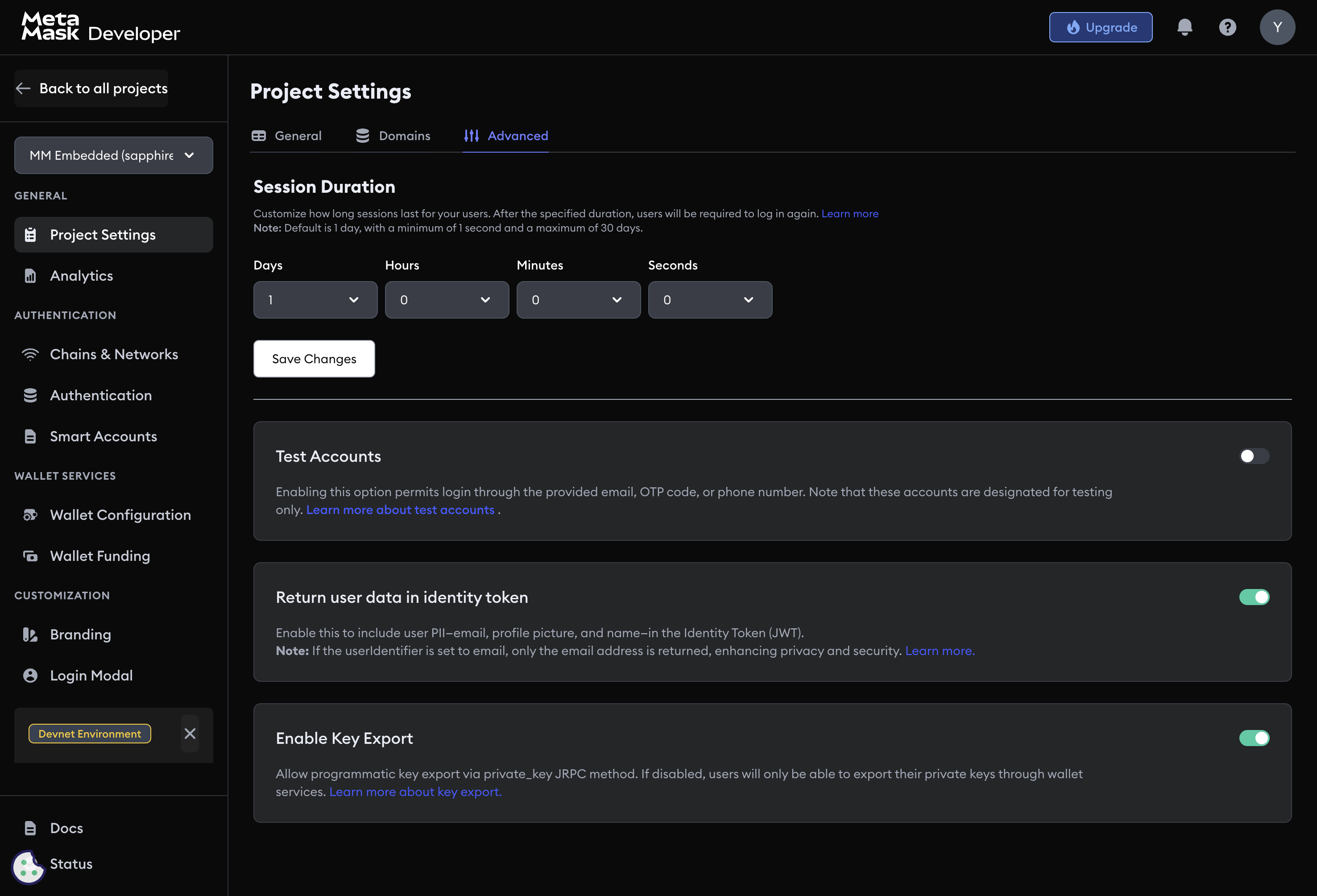
Configure session duration
Navigate to Project Settings → Advanced → Session management and enter a value in the Session Duration field.
Supported units:
| Unit | Examples |
|---|---|
| Seconds | 1s, 30s |
| Minutes | 1m, 30m |
| Hours | 1h, 12h, 24h |
| Days | 1d, 7d, 30d |
Default: 1d | Minimum: 1s | Maximum: 30d
When the session expires, web3auth.connected becomes false and all provider calls fail until the user re-authenticates.
Choosing a session duration
Shorter durations reduce the exposure window if a session token is compromised. Longer durations reduce re-authentication friction.
Common configurations:
- High-security or financial apps:
30m–4h - Standard web apps:
1d–7d - Mobile or gaming apps:
14d–30d
Next steps
- Key export settings — control whether users can export private keys
- User details in ID token — control what PII appears in JWT tokens
- Project settings — general project configuration