Allowlist settings
The allowlist restricts which domains and URLs can use your project's Embedded Wallets SDK. Only explicitly allowlisted origins can authenticate users. This prevents unauthorized sites from using your Client ID.
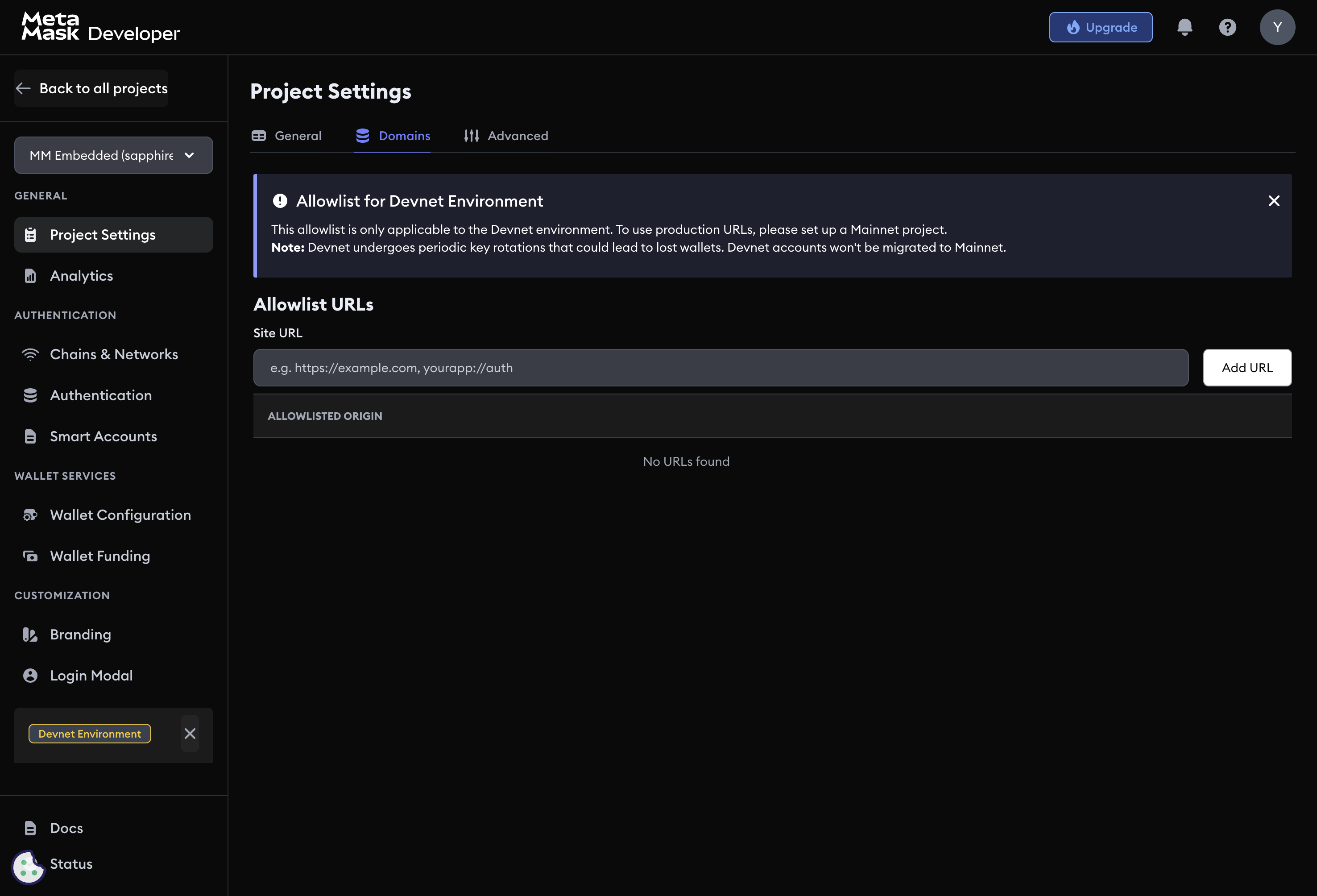
warning
For Sapphire Mainnet projects, at least one domain must be allowlisted before the SDK works in production.
Add a domain
- Navigate to Project Settings → Allowlist.
- Click Add Domain.
- Enter the complete origin including protocol (for example,
https://myapp.com). - Save the configuration.
Supported URL formats
The allowlist accepts the following formats:
| Format | Example |
|---|---|
| Production domain | https://myapp.com |
| Subdomain | https://app.myapp.com |
| Subdomain wildcard | https://*.myapp.com |
| localhost | http://localhost:3000 |
| Port-specific | https://myapp.com:8443 |
| iOS bundle ID | com.yourcompany.yourapp |
| Android package | com.yourcompany.yourapp |
| Deep link scheme | yourapp://auth |
Always use HTTPS for production domains. Include all subdomains and ports your dapp uses. Remove development URLs before going to production.
Next steps
- Project settings — configure basic project information
- Advanced project settings — session management and key export